
Loading
Loading

Two time formats, one glance
A simple utility that shows local 12-hour and 24-hour time at the same time — for people who work across both conventions every day.
Overview
Production call sheets, aviation, military ops, and international teams lean on 24-hour time. Everyday conversation still uses 12-hour time. DualTime shows both formats for your local clock at once — clean, accurate, and always visible.
No accounts. No setup. Open the app or glance at the Android home-screen widget.
Get the beta
DualTime is currently in public beta. Join the Android beta to download the APK, then allow installs from unknown sources if prompted.
Android APK
Version: v1.0.0 · DualTime-beta.apk
Lightweight utility beta. Android APK sideload—enable unknown sources if prompted.
Features
12-hour and 24-hour formats shown simultaneously with clear labeling so you never have to translate.
DualTime is about format, not geography — your device's local time, readable in the convention you need in the moment.
No accounts, no feed, no clutter. Open DualTime and see the time.
Keep dual time on your home screen without opening the app — theme, date, seconds, and tap actions are configurable.
Show or hide seconds, choose date format, and pick which format sits on top of the widget.
Uses your device clock. Core dual-format display works without an internet connection.
Open DualTime → Glance → Optional widget
DualTime isn't trying to replace your calendar or world clock. It removes a small, repeated friction: reading both 12-hour and 24-hour time without doing the math.
Gallery
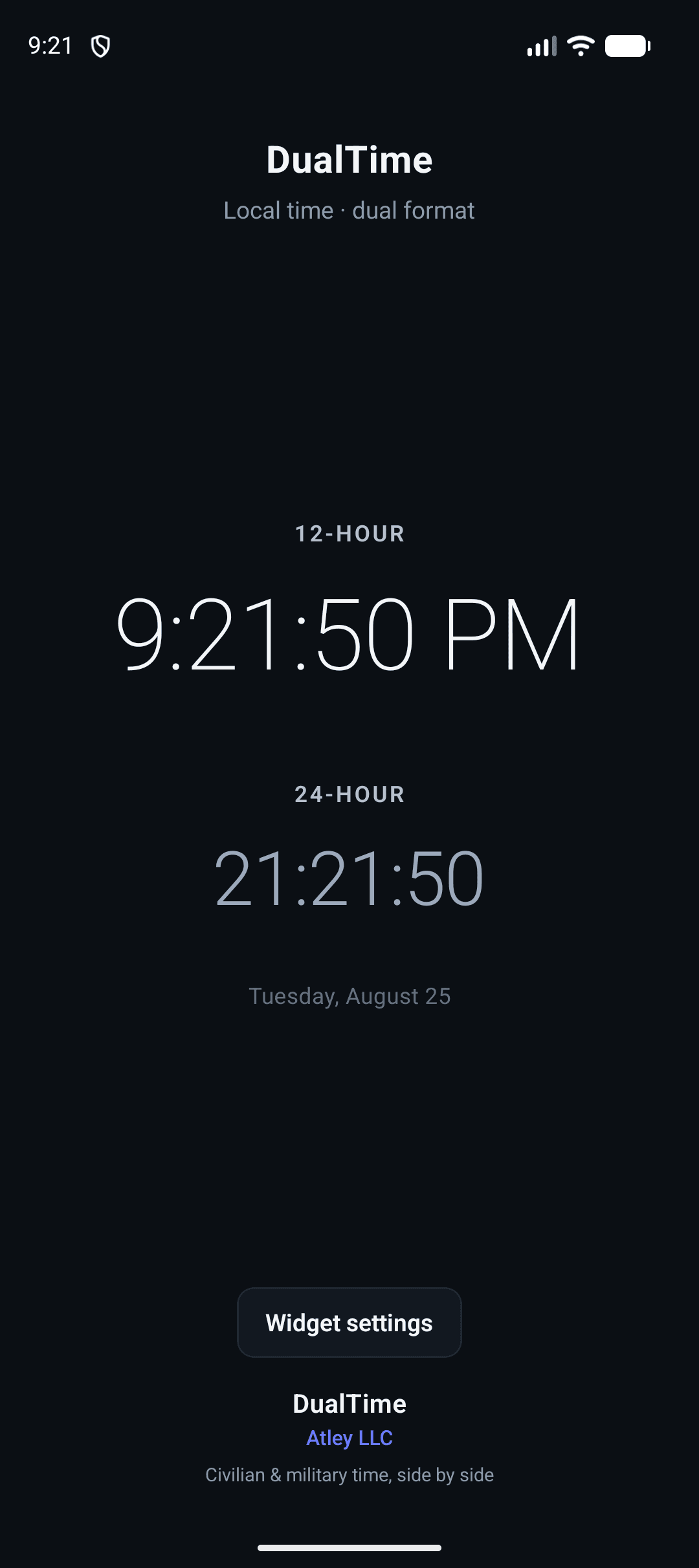
12-hour and 24-hour at once.
Open DualTime and see both conventions for your local time, with the date underneath — branded and glanceable.
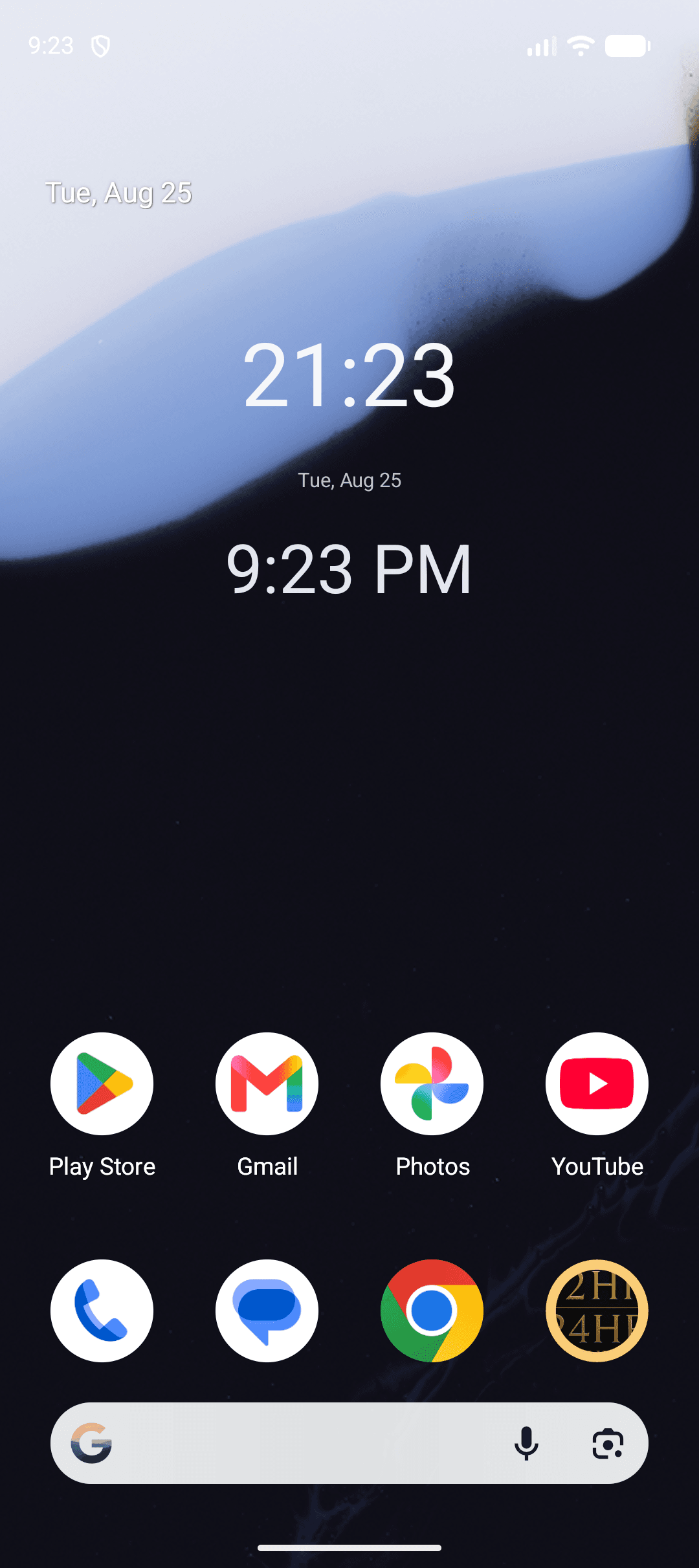
Keep dual time on your home screen.
The Android widget puts both formats where you already look, without launching the app.
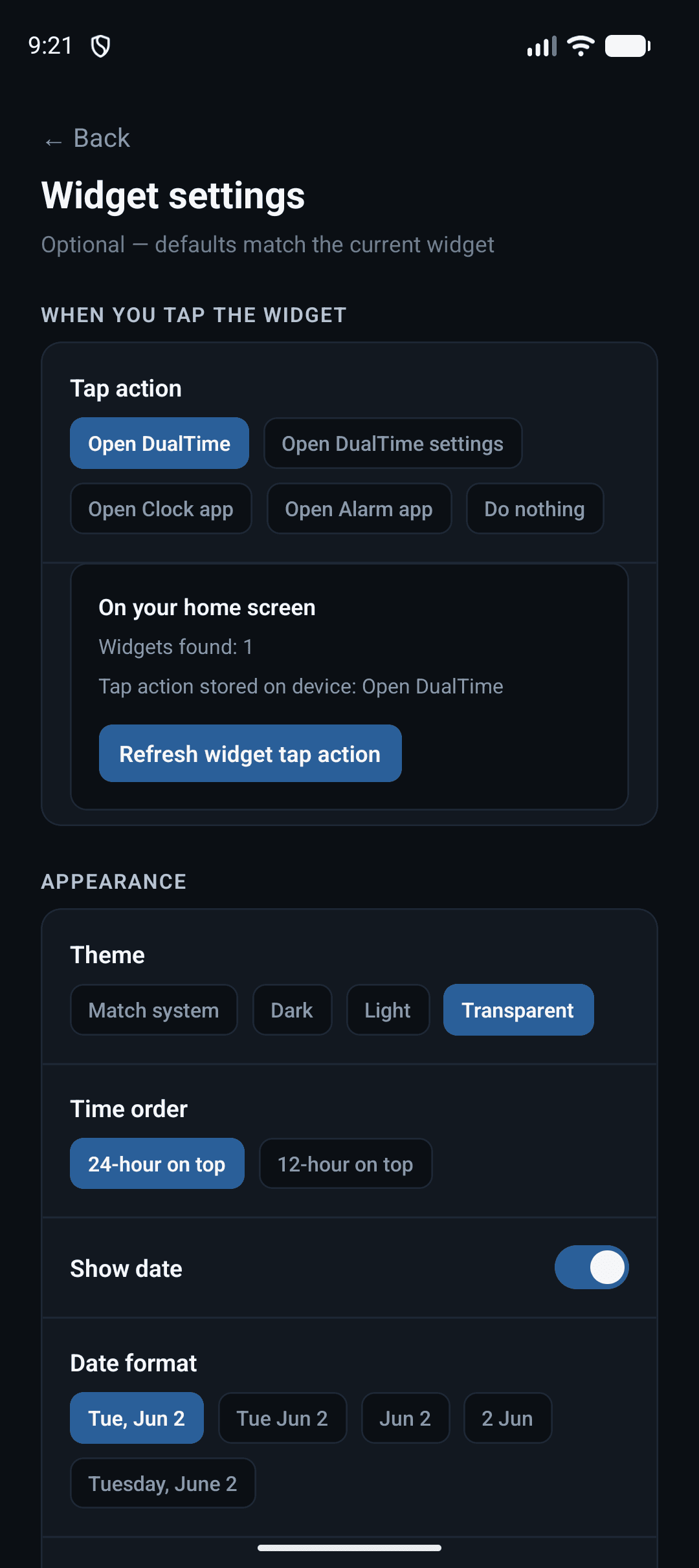
Theme, date, seconds, tap actions.
Tune appearance and what happens when you tap the widget — open DualTime, settings, Clock, Alarm, or nothing.
FAQ
Live production, aviation, military, and international operations frequently reference 24-hour time while general communication uses 12-hour format. DualTime eliminates conversion errors for your local clock.
No. DualTime shows your local time in both 12-hour and 24-hour formats. It is not a world-clock or multi-timezone tracker.
DualTime is a free utility tool. It exists because the problem was worth solving, not because it needed a subscription model.
Download the APK from this page and install it on your device. You may need to allow installs from unknown sources.
No. DualTime uses device time. Core dual-format display works fully offline.
The DualTime app runs on iOS and Android. The configurable home-screen widget in the current beta is Android-focused.
When your day mixes call times, cue sheets, and normal conversation, DualTime keeps both conventions in view — in the app and on your Android home screen.