
Loading
Loading
Your gigs. Your hours. Your notes. Your invoices. One place.
A mobile work companion built specifically for freelance live-event and production professionals. Keep each gig organized from the moment it hits your calendar through the final invoice — without stitching together your calendar, notes app, time tracker, mileage log, spreadsheets, and invoicing software.
Overview
StrikeNote helps freelance live-event professionals manage the entire lifecycle of a gig — from the first scheduled day through hours, notes, expenses, and invoicing. Schedule it → Work it → Document it → Invoice it → Get paid.
Every job starts with a gig. Add the client, location, scheduled days, role, and rate. When the gig starts, StrikeNote becomes your working notebook — tracking your hours while keeping the information you need throughout the job attached to the gig where it belongs. Log expenses and mileage. Keep production notes, contacts, documents, photos, issues, and post-mortem notes. When the work is finished, turn the same information you've already captured into an invoice. Instead of rebuilding the story of a job afterward, StrikeNote keeps it together as you work.
Get the beta
StrikeNote is currently in public beta for Android and iOS. Join the Android beta to download the APK, then allow installs from unknown sources if prompted. iPhone and iPad users can join through TestFlight.
Android APK
Version: v0.3.3 · StrikeNote-beta.apk
Beta software is actively being developed and may change between releases. Feedback from production professionals using StrikeNote on real jobs is especially valuable.
Optional: create an Atley Account for cloud backup. StrikeNote stays local-first without it.
Features
Keep upcoming, active, and completed gigs organized around clients, dates, locations, roles, rates, and the details you actually need on the job.
Clock in and out from the gig and track actual working time without reconstructing your day later. Supports day rates, hourly billing, overtime, minimum calls, and configurable contract rules.
Capture notes while you're working and keep them attached to the job they came from — production details, issues, checklists, contacts, photos, documents, and post-mortem notes.
Record reimbursable expenses and mileage as they happen so they don't disappear between the job site and invoice day.
Turn your gig, timecard, expenses, mileage, and billing information into a professional invoice without entering everything again. Create drafts, generate PDFs, mark invoices as sent, and track outstanding payments.
See the income you've invoiced and keep an eye on estimated quarterly taxes without turning StrikeNote into a full accounting system.
Your core StrikeNote data lives on your device and remains available when the ballroom Wi-Fi doesn't. No connection required to look up what you need while you're working.
Schedule it → Work it → Document it → Invoice it → Get paid
StrikeNote isn't trying to run the entire production. It's built for the person actually doing the work. Whether you're an A1, A2, lighting tech, video engineer, TD, stagehand, production manager, or another freelance production professional, StrikeNote gives you one place to keep track of your side of the gig.
Gallery
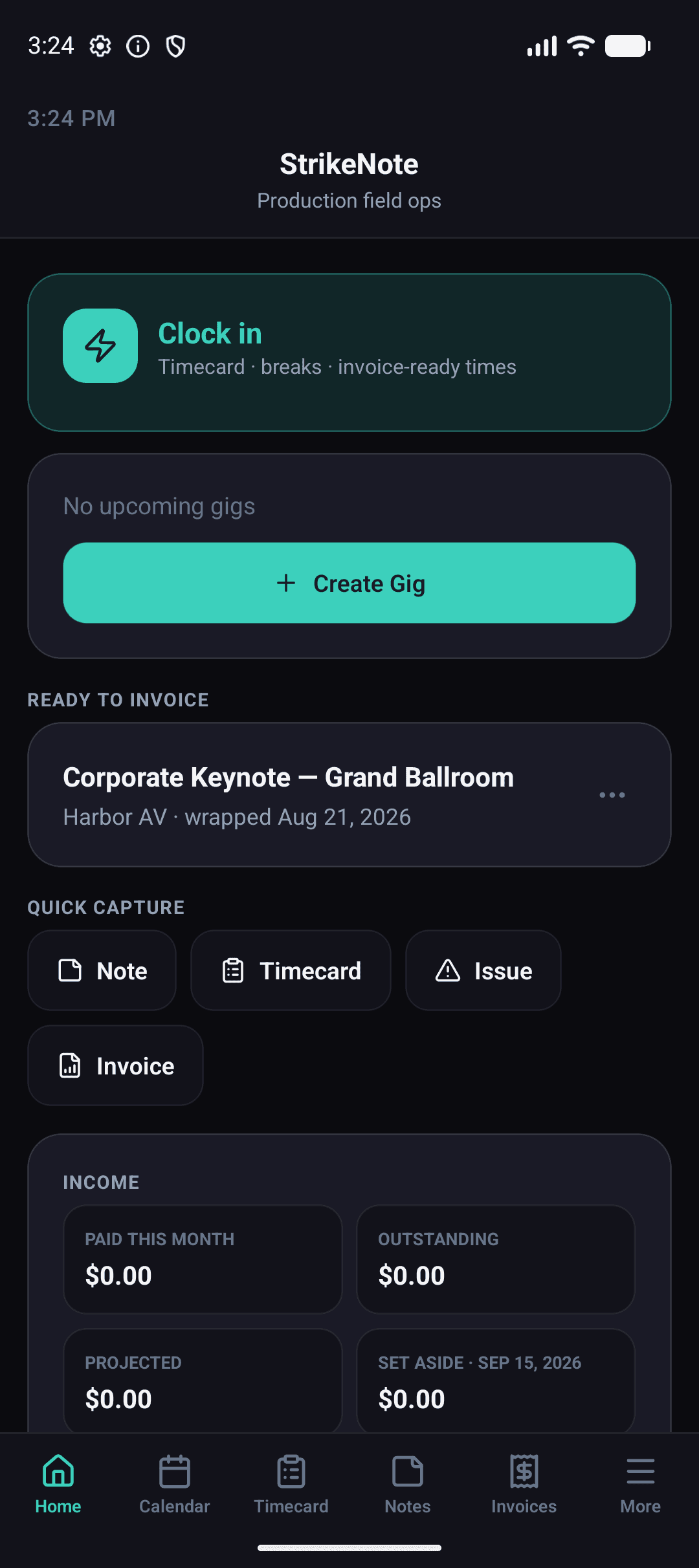
See upcoming gigs, active work, and the things that need your attention from Home.
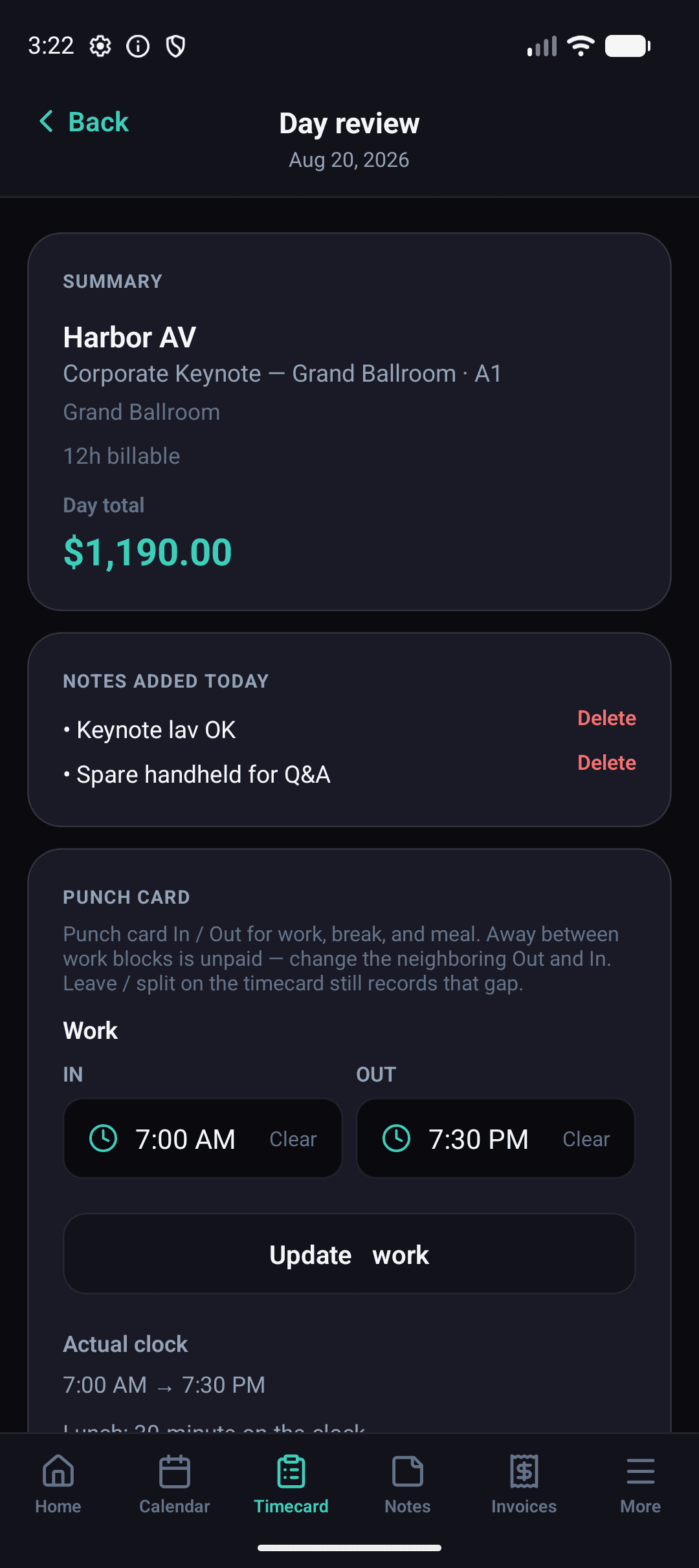
Clock your hours and keep notes, expenses, mileage, documents, contacts, and job details connected to the gig.
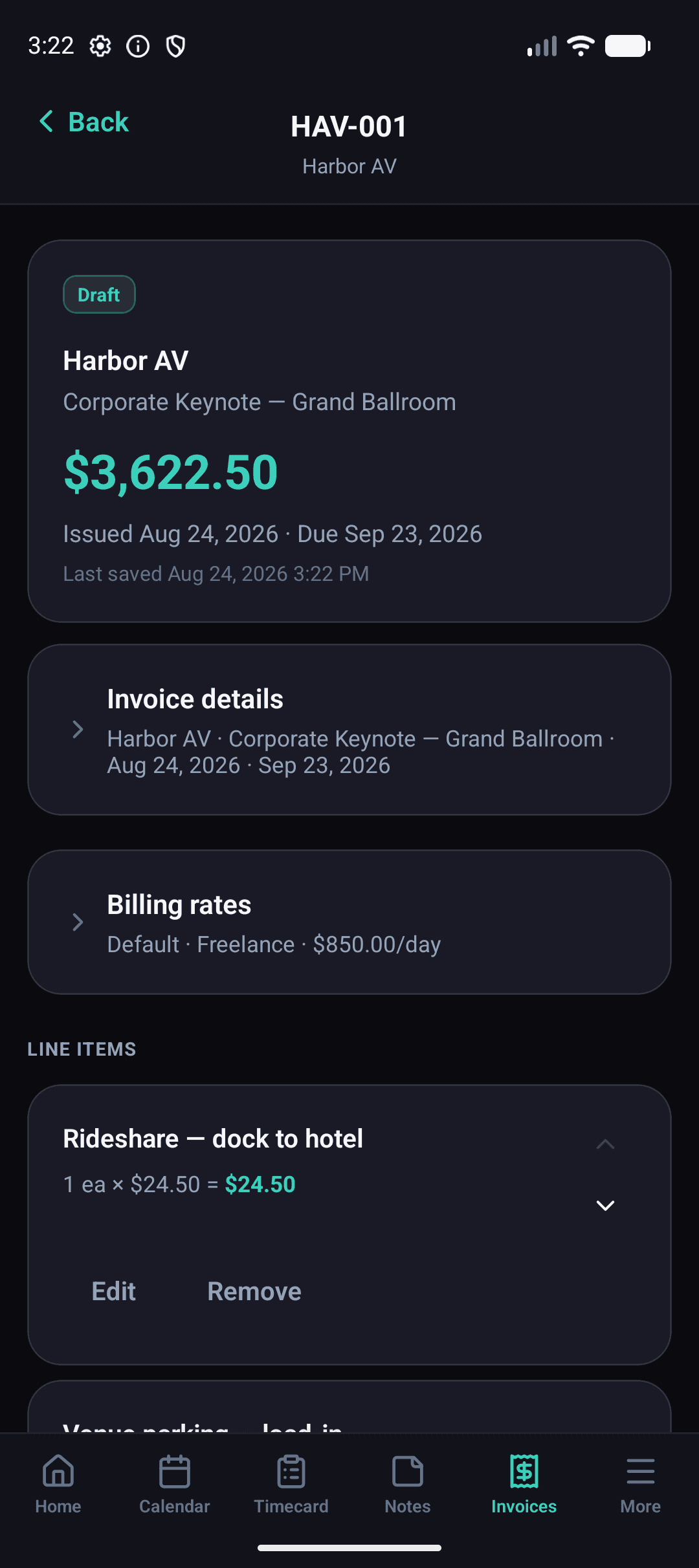
Use the information you've already recorded to create the invoice when the job is done.
FAQ
StrikeNote is designed primarily for freelance professionals working in live events, corporate AV, entertainment, broadcast, and production — audio engineers, lighting technicians, video engineers, technical directors, stagehands, production managers, and other technicians who manage their own gigs, hours, expenses, and invoices.
Not in the traditional sense. StrikeNote isn't designed to manage an entire crew or replace scheduling, staffing, or project-management platforms. It's designed around the individual freelancer and the work they need to keep track of before, during, and after a gig.
Core StrikeNote functionality is local-first and designed to remain useful without reliable internet access — because venue connectivity isn't something production professionals should have to depend on.
Yes. StrikeNote supports common freelance billing structures including day rates, hourly rates, overtime, minimum calls, and configurable contract billing rules.
Yes. StrikeNote can generate invoices from the gig information you've already recorded, including your time and other billable items, and export professional invoice PDFs.
No — intentionally. StrikeNote helps you capture the work, create the invoice, track what you're owed, and maintain useful income and tax estimates. It's not trying to become a bookkeeping or tax-filing platform.
Yes. StrikeNote can be used for touring and multi-day work, but it's still centered around managing your own gigs and records, rather than managing the entire tour or production.
Yes. StrikeNote is being developed for Android and iOS and is currently available as a public beta.
StrikeNote grew out of years of working live events and dealing with the same fragmented workflow over and over again: calendar for the gig, notes app for show notes, another app for hours, receipts somewhere else, mileage forgotten, spreadsheet for the invoice. StrikeNote brings those pieces together around the thing they all belong to: the gig.
Put the beta on your phone and use it on a real job.